Finding the right
AI tool
for anyone.
The Problem
Most people know AI tools exist but choosing the right one feels impossible. This project removes that barrier through guided, personalized discovery.
My Role
UX Designer & Product Strategist
Deliverables
Research · IA · Wireframes · UI · Prototype
Design system
Fluent 2 (Microsoft)
Timeline
6 weeks · Solo project
Goals
Improve information clarity and scannability
Prioritize key campaign metrics
Reduce friction in core tasks (campaign review, performance comparison)
Align design with SID’s brand evolution
Research Insights
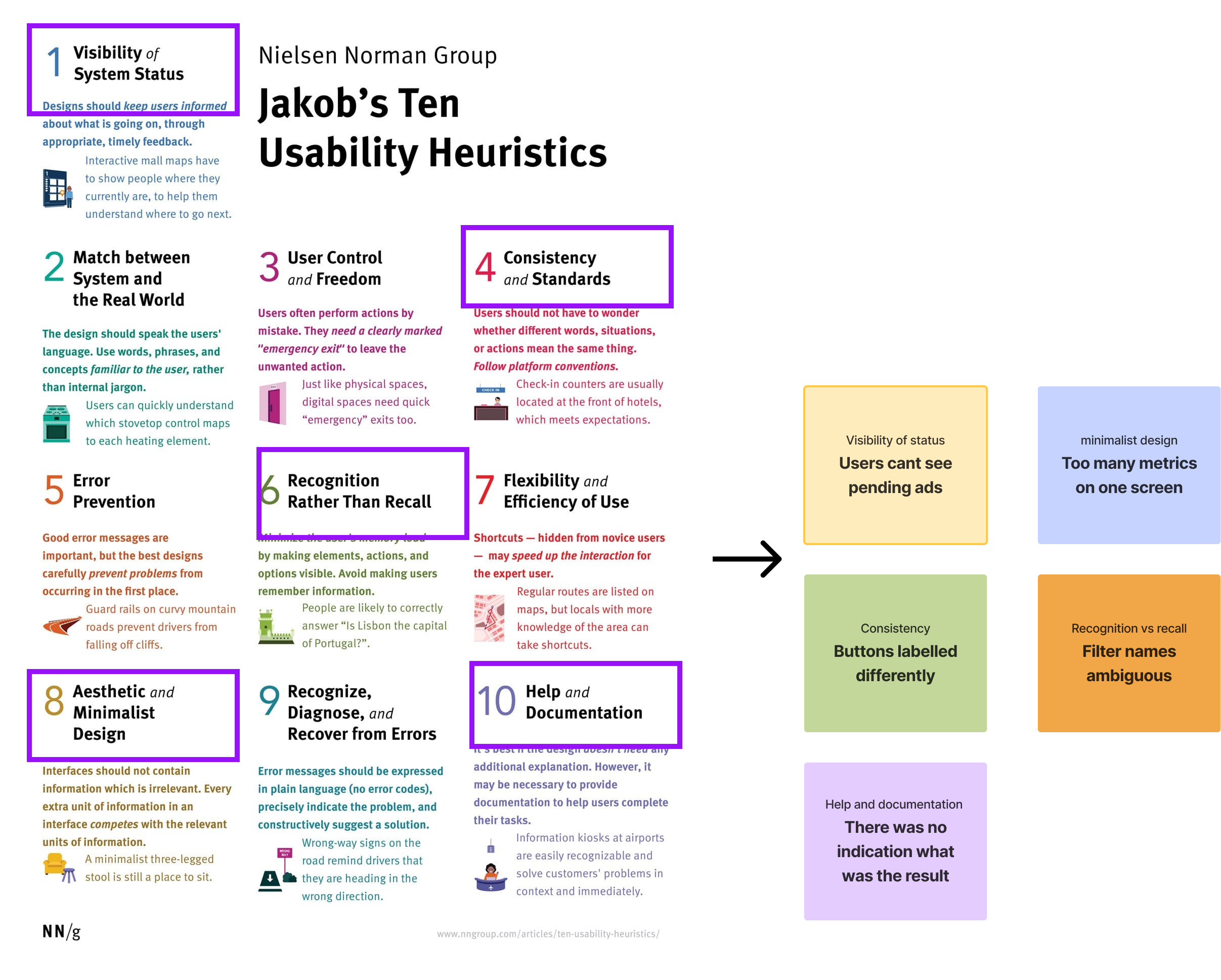
Heuristic Evaluation: Identified major violations in visibility, consistency, and flexibility.
Surveys: 70% of users felt “overwhelmed” by too many metrics.
User Interviews: Found users mostly checked only 3–4 KPIs regularly.
Key Insight: Users wanted fewer, clearer metrics and a streamlined view tailored to their workflow.
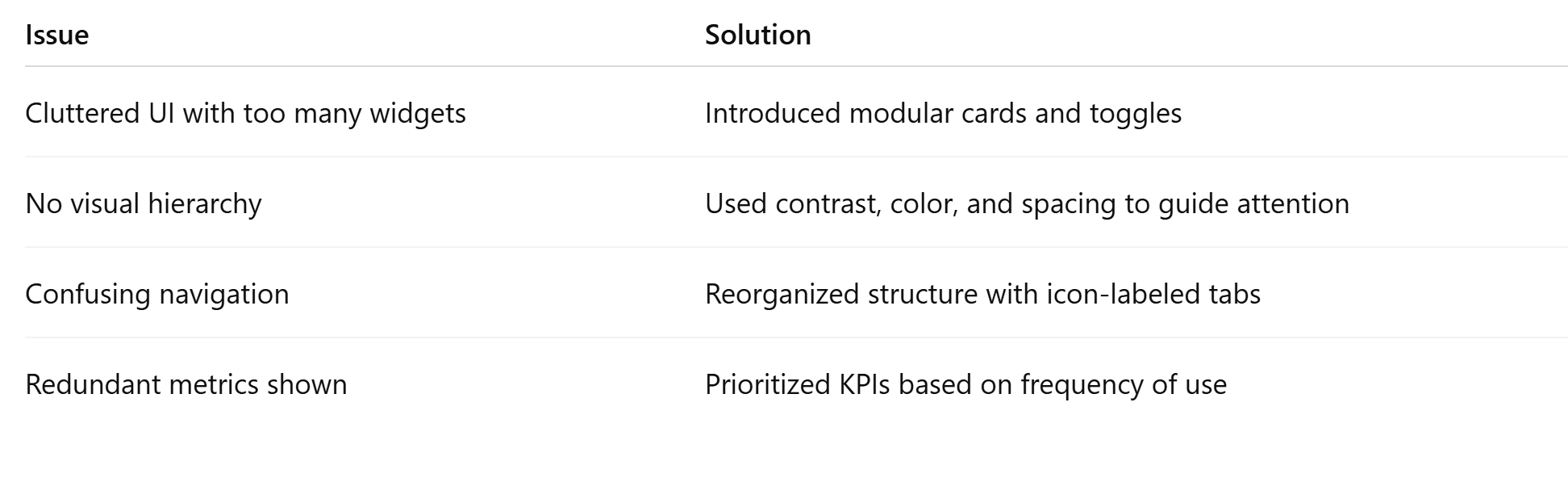
Design decisions
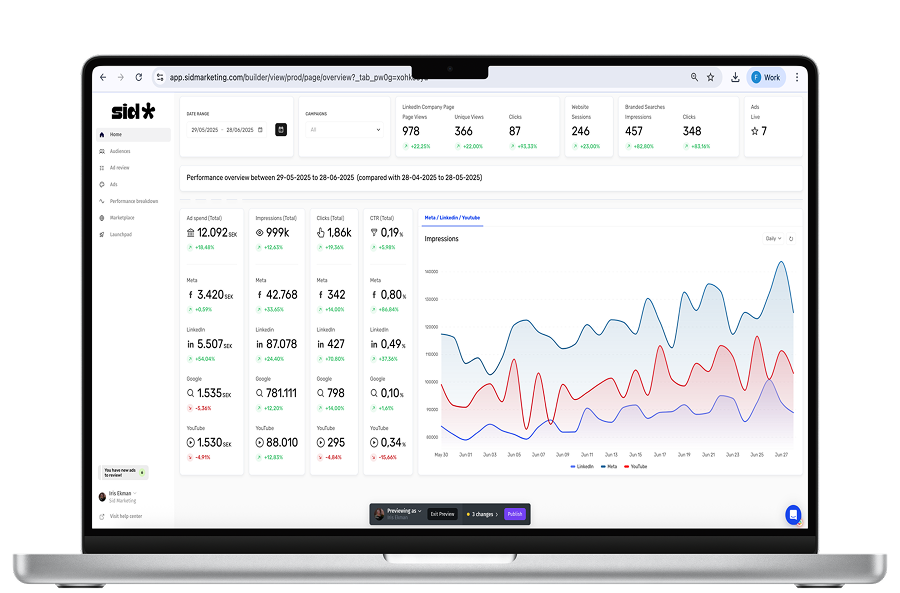
Old UI:
Metrics lacked grouping
Inconsistent data visualization
No customization
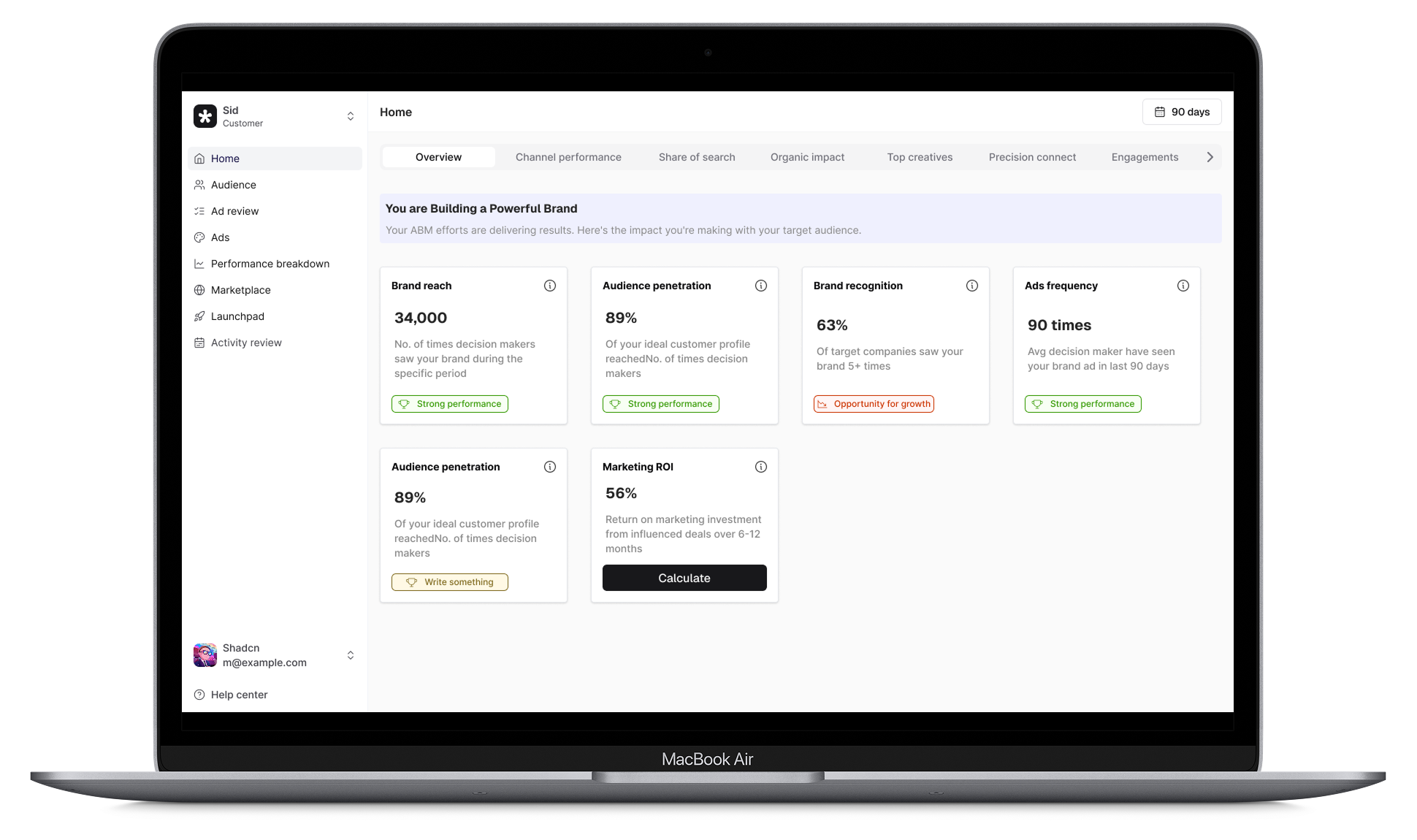
New UI:
Introduced tab-based navigation to segment workflows
Visual status indicators for ad approvals
Simplified KPI blocks with bold headlines and smart spacing
Toast components with 6px radius for clean micro-interactions
Outcome
50% faster task completion (observed in usability test)
3 out of 5 users rated the new flow “very intuitive”
Stakeholders noted improved readability and visual alignment with brand
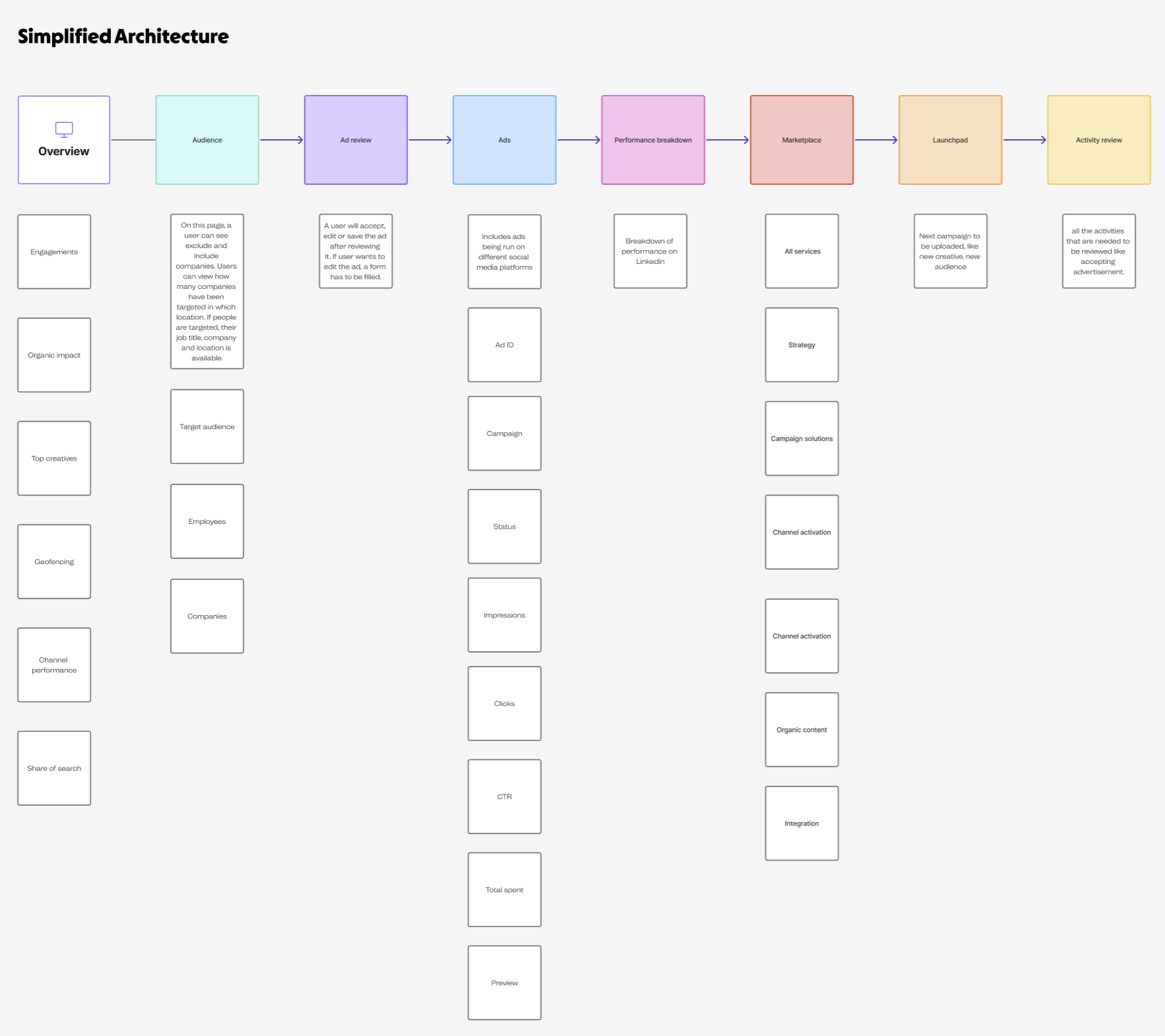
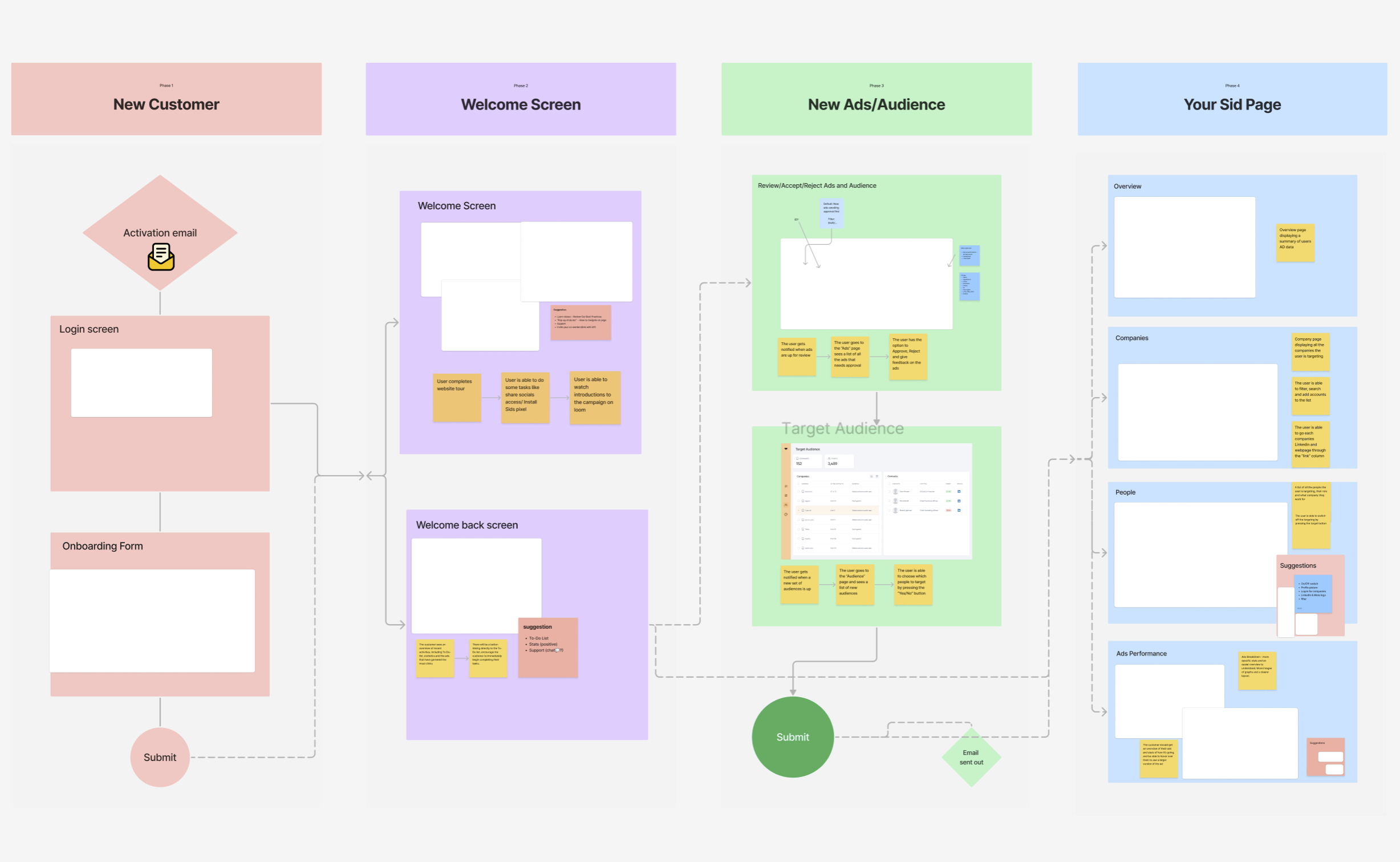
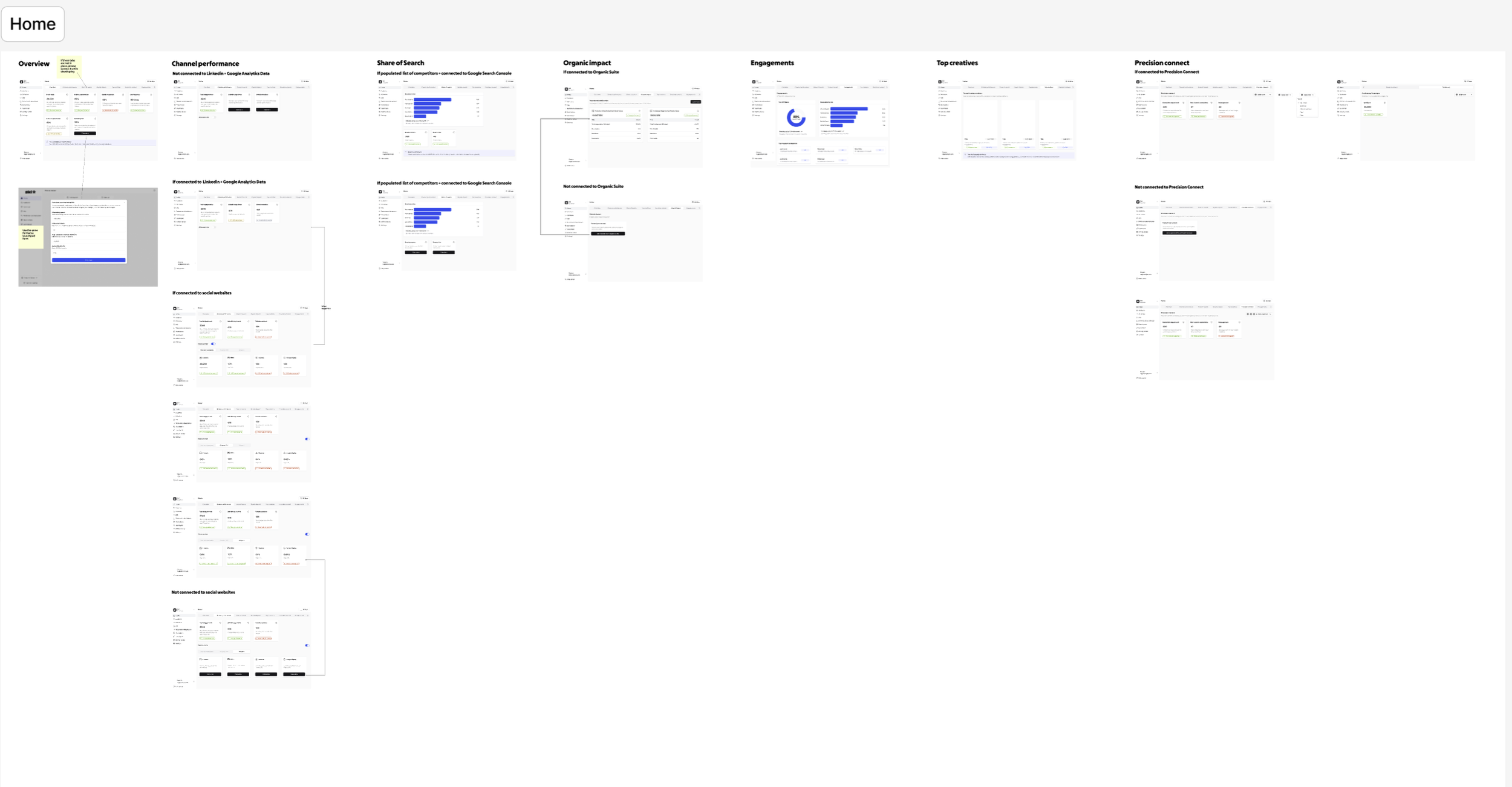
The groundwork
A sneak peak of the work that went behind redesigning.